

July 2026
Version 3.33.4
Released on July 16th, 2026
✨ New Feature & Enhancements
- New: Knowledge Base Priority Field : Added a new "priority" field to knowledge bases, using a value between 0 and 1 (default: 0.5). This allows bot managers to control how a knowledge base is weighted relative to others during the RAG process.
- New: Analytics Metrics for Voice Bots : Added new analytics metrics for Voice Bots, including total conversation duration, average conversation duration, and number of escalation requests. This update also introduces two new charts: one showing the daily trend of average conversation duration, and another displaying the daily number of escalation requests.
- New: Seek Support for Streaming Audio Progress Bar : Added the ability to navigate (seek/scrub) within the progress bar while an audio message is streaming, in the Conversation module.
-
Improved: Dashboard Filter Persistence
Implementation of session-based memory for dashboard filters. Bot selections applied on the Home page are now preserved after a page refresh, ensuring that managers can maintain a consistent view of specific bot groups without re-configuring filters. -
New: Translation Metadata in API Dialog Responses: The API Dialog response schema now includes the specific translation language used for the output.
🐞 Bug Fixes
- Fixed: Incorrect Model Displayed in Vectorization Configuration
Corrected the display in the knowledge base vectorization settings. The interface was showing the base model name (e.g. openai/gpt-4o-mini) instead of the embedding model used for vectorization. - Fixed: Incorrect Success Status on Empty LLM Response
Fixed an issue where, when the LLM failed to respond and returned an empty output, the response generation step was displayed as successful (green) instead of flagging an error.
- Fixed: Microphone Icon Not Visible on Certain Browsers (Call Bot)
Fixed an issue where the microphone icon did not appear on Firefox and Edge, while the voice dictation feature worked correctly on Chrome. - Fixed: Missing CO2, Cost, and Time Metrics on Some Exchanges : Fixed an issue where the CO2 footprint, cost (€), and processing time indicators were not displayed for certain exchanges in the conversation view.
- Added: New Error Code for LLM Provider Failures : Introduced a dedicated 470 error code, returned when an issue occurs with the configured LLM provider, along with the specific error message returned by the LLM, to help bot developers more precisely diagnose the failure.
Version 3.33.3
Released on July 3rd, 2026
✨ New Feature & Enhancements
New: Extended Azure OpenAI Model Support
Integration of the latest Azure OpenAI models into the platform interface. Users can now select and configure deployments based on the GPT 5.4, 5.5, and 5.X series (including Nano and Mini variants) for their AI agents.
New: MCP Server Filtering for AI Assistants
Implementation of a dedicated MCP (Model Context Protocol) filter within the AI Assistants module. This update allows users to filter their assistant list based on active MCP server connections, both through the sidebar filter menu and directly within the management table columns.
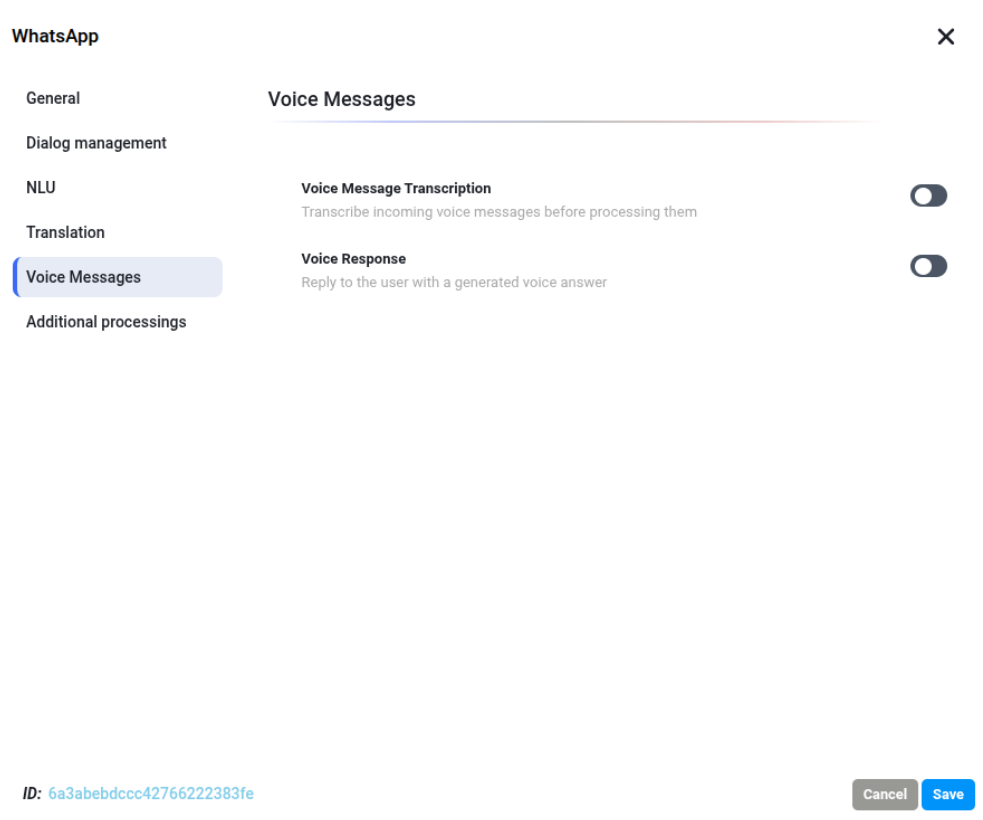
New: Voice Message Support for WhatsApp Integration
Introduction of a dedicated Voice Messages module within the WhatsApp integration settings. This update enables two-way vocal interactions on the channel:
- Voice Message Transcription (STT): Automatic transcription of incoming user voice notes for processing by the NLU engine.
- Voice Response (TTS): Capability for the bot to generate and send audio replies directly to the user.
📊 Observability & Analytics
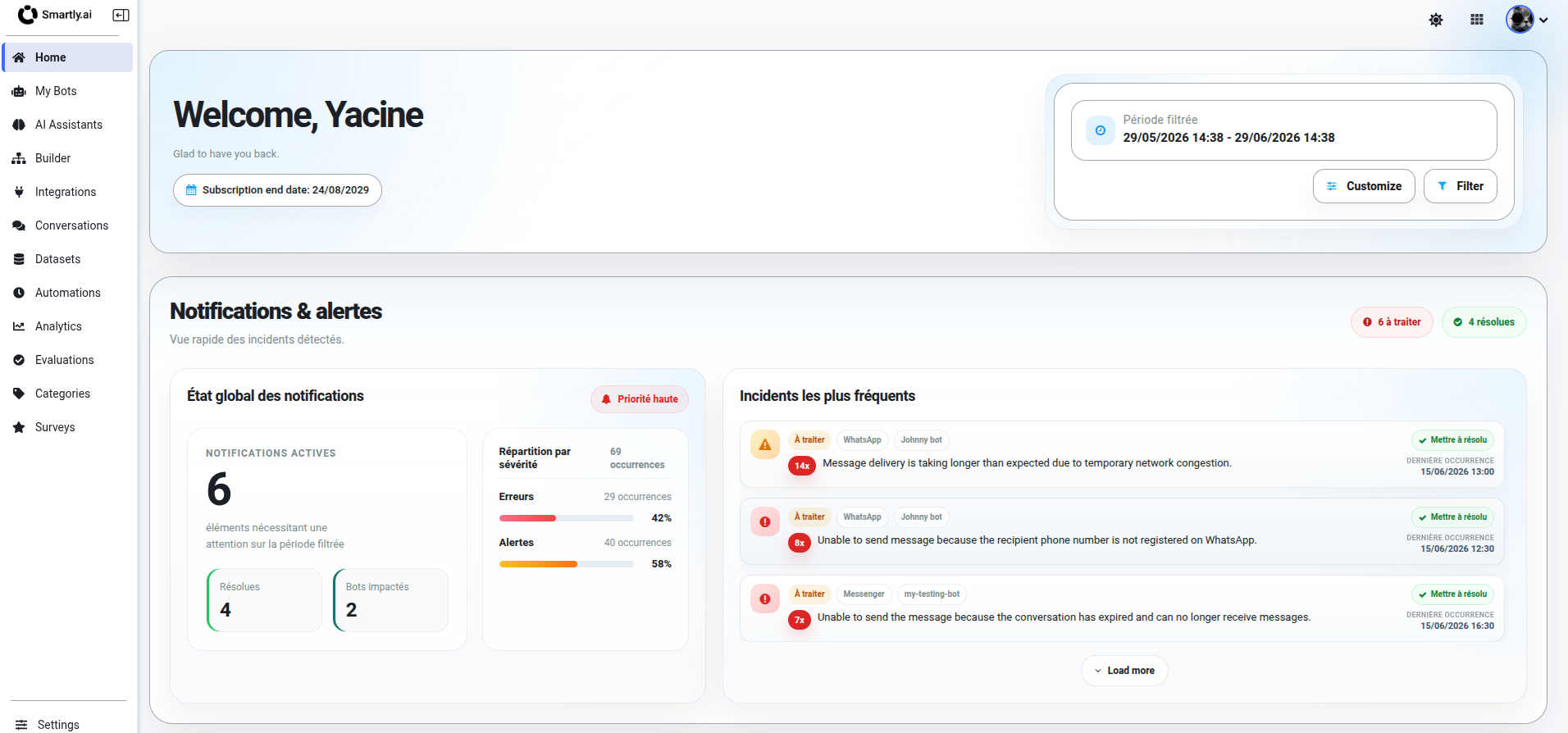
New: Centralized Notifications & Alerts Dashboard
Integration of a real-time monitoring module on the Home page. This new section tracks technical incidents across the platform, allowing managers to identify and resolve delivery or connectivity issues directly from the main dashboard.
🛡️ Platform & Engine Reliability
Improved: Granular LLM Proxy Error Reporting
Implementation of specific status codes to provide bot managers with precise diagnostic information when the LLM Proxy encounters an issue. The platform now distinguishes and reports the following cases:
-
471 / 472: Rate limits exceeded (Requests per minute / Tokens per minute).
-
473: Project budget exceeded.
-
474: Specific AI model unavailable.
-
479: Provider platform unavailable.
Fixed: Bot Training Failures & Error Visibility
Resolution of an issue where bot training would hang indefinitely if the LLM was unavailable for generating descriptions.
- Automated Termination: Training now automatically stops and releases resources upon encountering a fatal LLM error.
- Enhanced Error Mapping: Critical errors (400 Budget, 401 Model Authentication, 429 Rate Limits) are now relayed from internal logs directly to the Botman interface, providing immediate feedback to the bot trainer.
🎨 UI / UX Enhancements
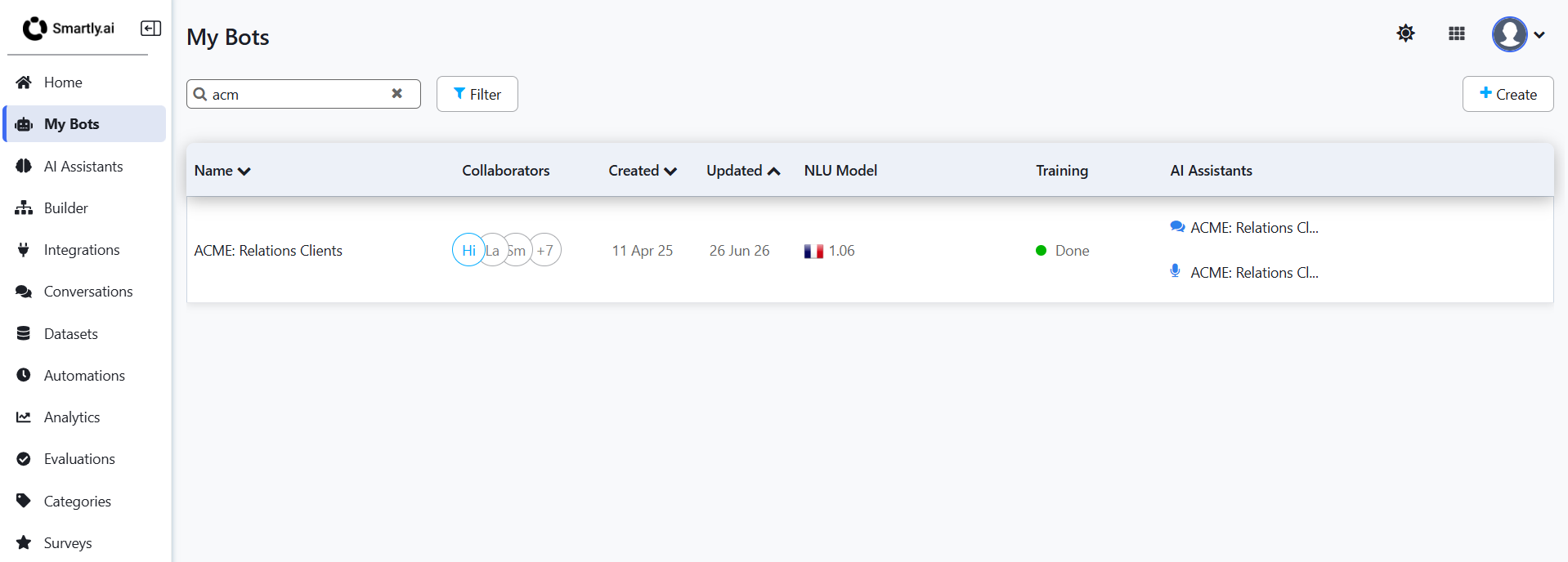
1. Improved: Multi-modal Assistant Visibility in "My Bots" List
Enhancement of the bot dashboard to display all linked assistants within the AI Assistants column. This update ensures that both Chat and Voice assistants are listed for each bot project.
- New Distinctive Icons: Integration of specific icons (Chat bubble and Microphone) to clearly distinguish between text-based and vocal assistant configurations at a glance.
🐞 Bug Fixes
1. Fixed: Native Language Over-translation Logic
Resolution of an issue where the engine would redundantly translate content even when the source and target languages were identical (e.g., translating French to French).
- Acronym Mapping: Standardization of the correspondence between language acronym tables used by the platform UI and the LLM engine to ensure consistent identification.
- Parameter Prioritization: Improved logic for the "Skip Language Detection" feature to ensure that the manually defined locale is strictly prioritized, preventing unnecessary processing layers.
2. Fixed: Redundant Translation Logic for Native Languages
Correction of the translation engine's behavior to prevent unnecessary processing. The system now correctly identifies when the user's language matches the bot's native language (e.g., French to French), bypassing the translation layer to reduce latency and prevent over-translation bugs.