

January 2026
Version 3.31.1
Released on January 21st, 2026
✨ New Features & Enhancements
-
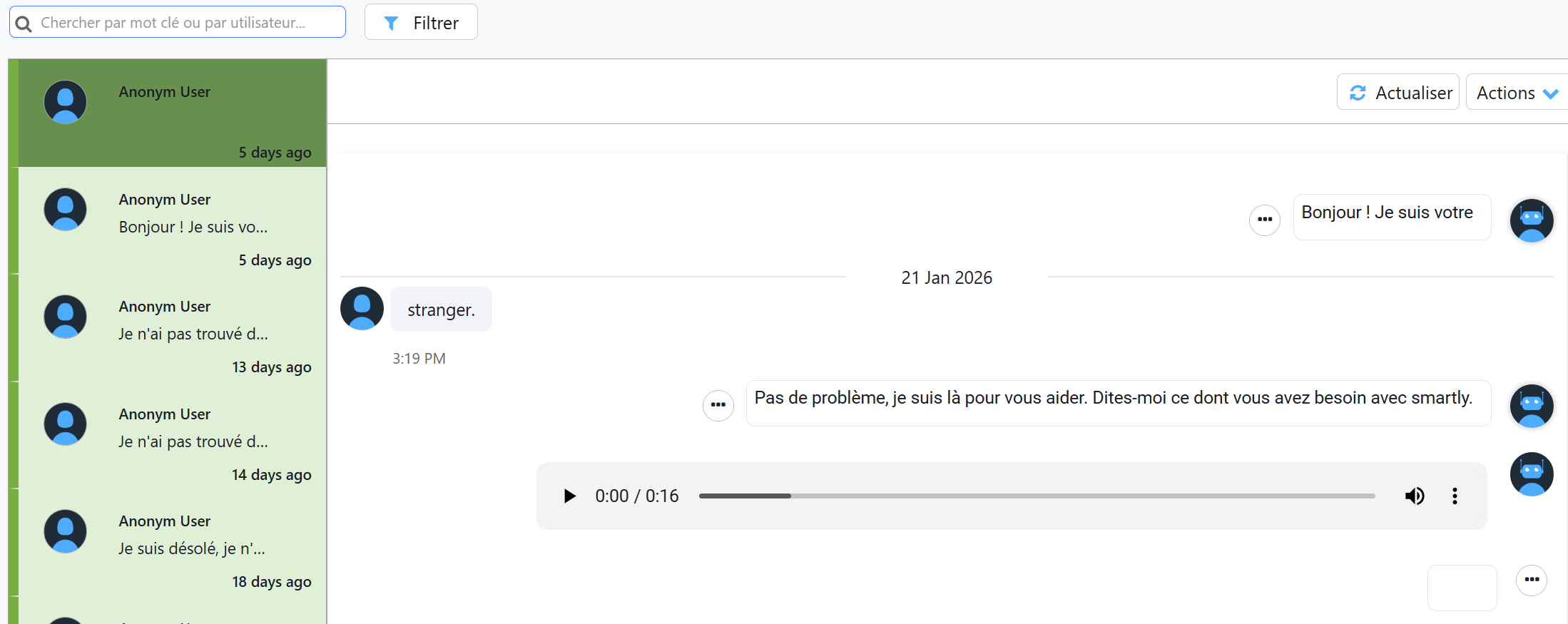
New: Audio Recordings for Voice Conversations
- Audio recordings of interactions from the Voice Chat integration are now automatically saved and accessible for playback.
- These recordings are embedded as an audio player directly within the chat transcript in the Conversations module.
- All voice conversations are stored for a period of 60 days for review and analysis.
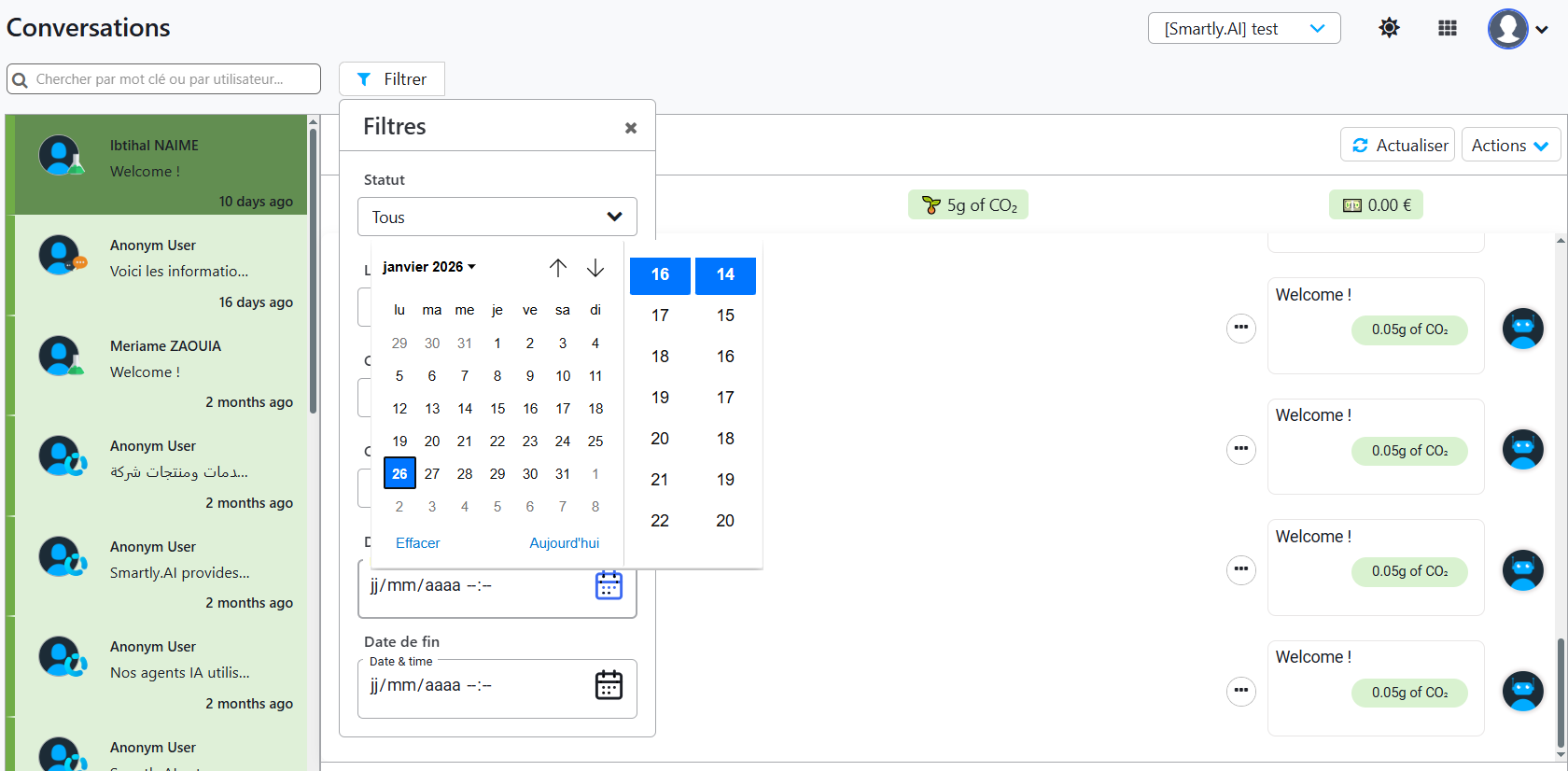
- Time Selection Added to Date Filters : Date range filters across the entire platform (e.g., in Conversations and Analytics) have been upgraded to include time selection (hours, minutes, seconds). This allows for much more granular and precise filtering of data within specific time intervals.
- Configurable Chunk Size for Streaming API : A new stream_chunk_size parameter can now be added to the body of streaming requests. This allows developers to control the frequency and size of intermediate messages sent to the webhook. The value defaults to 10 and can be set between 1 and 100.
- Rich Message Generation from AI Tools : AI Tools have been enhanced to support the generation of rich messages. In addition to plain text, a tool's code can now return structured objects, such as quick_replies, allowing for the creation of more dynamic and interactive conversational experiences.
- New: Rich Message Support in RAG Responses : The RAG pipeline is no longer limited to generating plain text in the answer field. It can now return rich message objects, such as Quick Replies (buttons). This allows for the creation of more interactive and guided conversational experiences, providing a smoother and more controlled transition between RAG and NLU/Hybrid NLU flows.
🛡️ Security Enhancement
- File Uploads Disabled for Free Trial Accounts : As a security measure, accounts that are not associated with an organization (e.g., Free Trial accounts) are no longer permitted to upload files to Knowledge Bases. This enhances platform security without impacting licensed customers.
Bug Fixes & UI Improvements
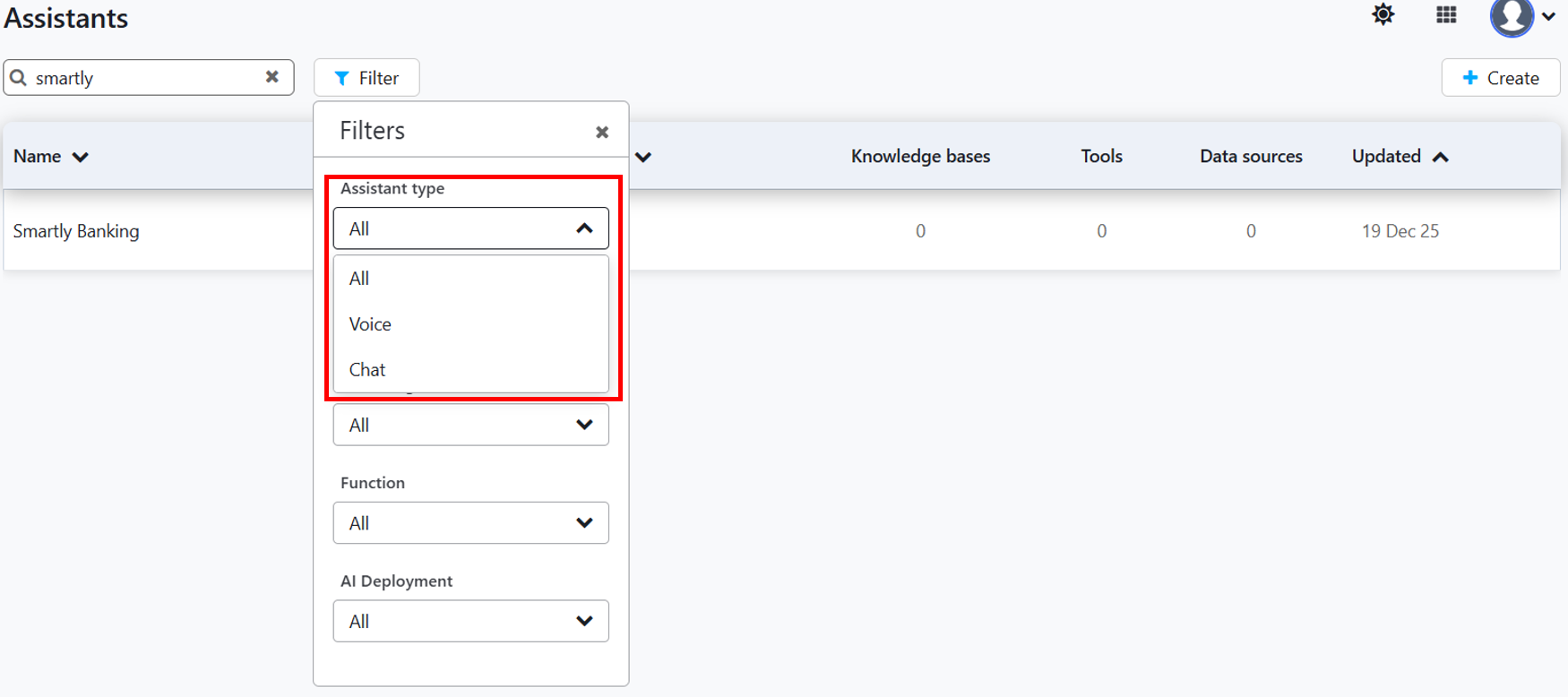
Improved: Filter by Type in AI Assistants : A new filter has been added to the AI Assistants page, allowing users to filter the list by type (Voice or Chat).
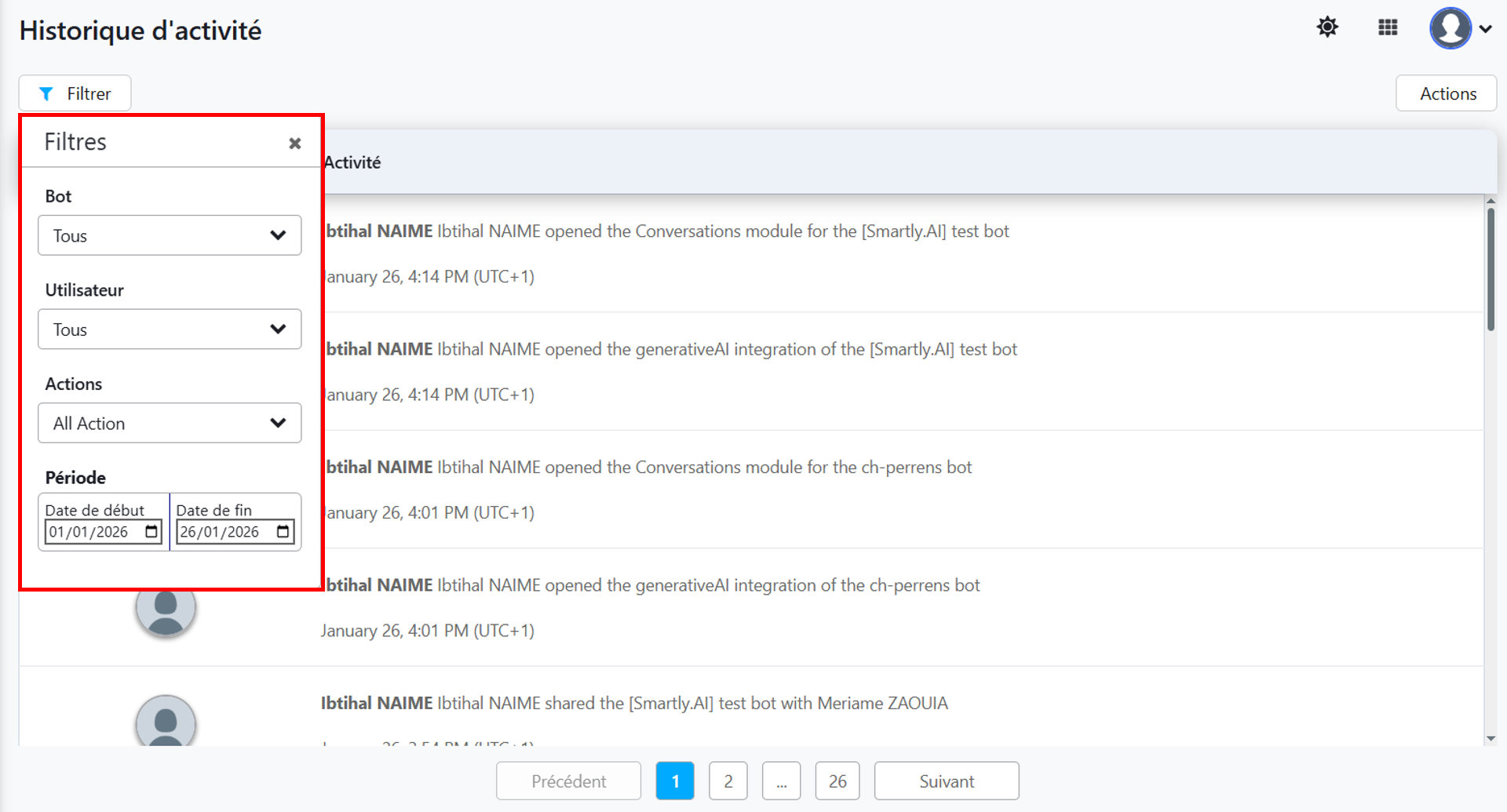
Improved: Consistent Filtering in Admin Settings : The filter components on the Activity History and Personal Data pages have been standardized for a more consistent and user-friendly experience.
Fixed: Filter Persistence on "My Bots" Page : Resolved an issue where filters applied on the "My Bots" page were not persistent. Filters are now correctly remembered when navigating away and returning to the page.
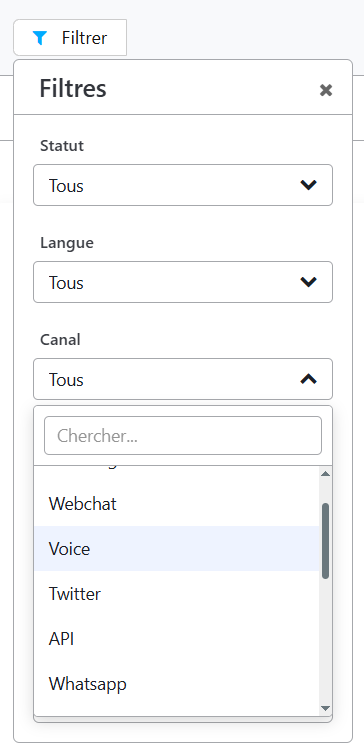
Improved: Voice Chat Added to Conversation Filters : The "Voice Chat" channel has been added to the channel filter options in the Conversations module, allowing users to easily isolate and review voice-based interactions.
Fixed: Empty Custom Prompts in AI Assistants : Corrected a bug in the AI Assistant settings where Custom prompt fields (e.g., for Query Expansion, Query Condensation, or Answer Generation) could not be saved if left empty. These fields are no longer mandatory and can be left blank if no custom instructions are needed.
Improved: Rate Limiting on Messaging Channels : To improve platform stability and prevent abuse, user-based rate limiting has been implemented on the Messenger and WhatsApp channels.
Fixed: Display of Selected Tools in Assistant
Resolved an issue where previously selected tools were not being correctly displayed in the list when editing an AI Assistant's configuration.
Fixed: Collaborator Inconsistencies with Shared Intents
Corrected a bug that caused inconsistencies with collaborator data when modifying shared intents.
Fixed: Console Errors in Category Analytics
Resolved a configuration issue with the charting library in the Categories analytics view that was causing unnecessary console logs to appear.
Version 3.31.0
Released on January 6th, 2026
✨ New Feature
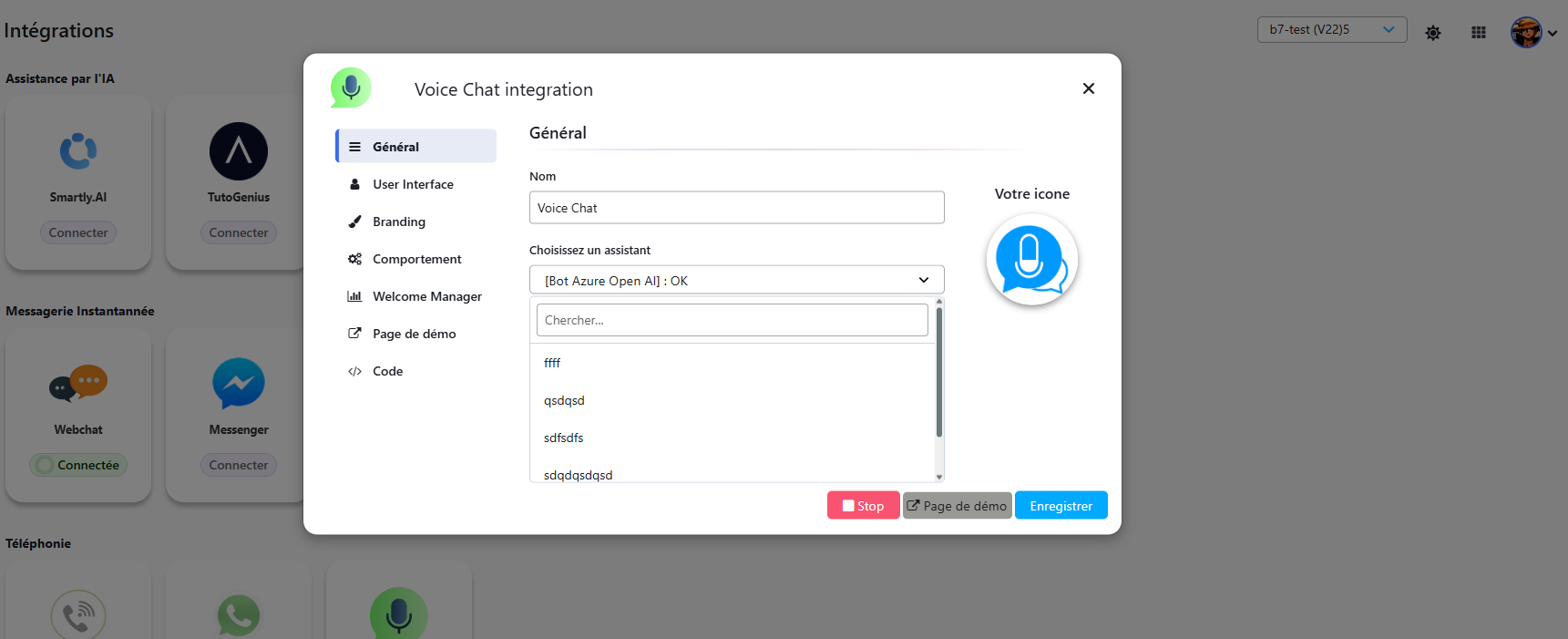
New Voice Chat Integration for Smartly Agents
This release officially introduces the Voice Chat integration, providing a dedicated channel to deploy your voice-enabled assistants. This new feature is supported by significant backend infrastructure improvements to ensure a high-performance, real-time voice experience.
- The Integrationspage now features a new Voice Chat channel, allowing users to connect their voice-enabled assistants to a dedicated voice interface.
- Real-time Infrastructure: Powered by a dedicated LiveKit server, the integration ensures low-latency, high-quality, real-time voice communication.
- Backend Performance Optimization: The voice widget has been highly optimized through the implementation of backend caching and direct database access, resulting in faster load times and a more responsive user experience.
- To simplify setup and prevent errors, the "Choose an assistant" dropdown in the Voice Chat configuration is intelligently filtered to only display assistants that are configured for voice.
Version 3.30.5
✨ New Feature
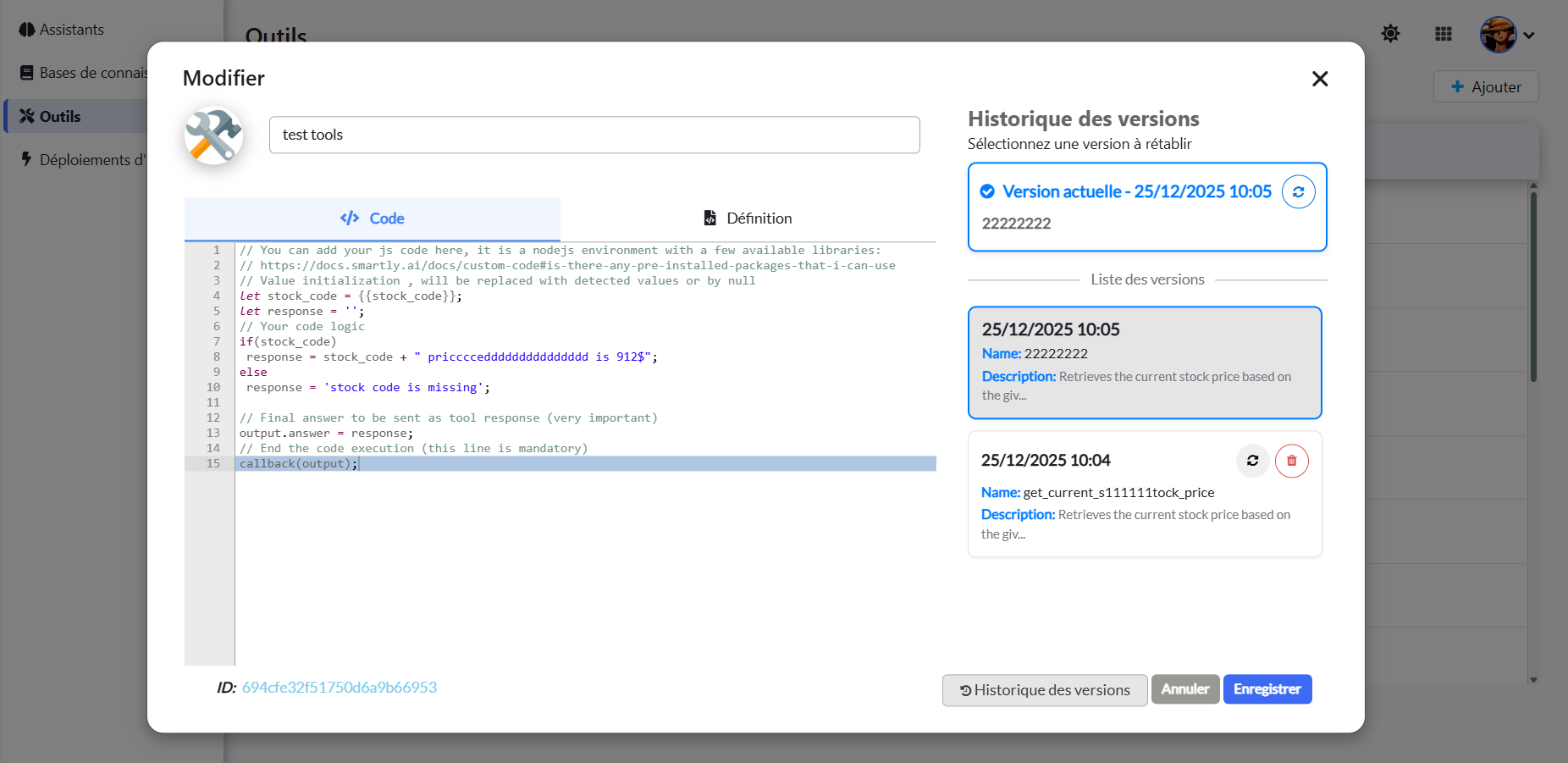
Version History for AI Tools
- A new "Version History" feature has been added to the Custom Tool editor. Every time a tool is saved, a new version is created and stored.
- Users can now view a complete history of their changes, compare different versions, and instantly revert to any previous state. This provides a safety net against accidental changes and makes it easier to manage the development of complex tools.
🛡️ Security Enhancement
Improved Session Token Security
- The handling of session tokens has been significantly improved to enhance platform security. Insecure, hardcoded tokens have been replaced with a more robust and secure management system to ensure the integrity of user sessions.