
December 2025
Version 3.30.4
Released on December 19th, 2025
✨ Major Improvements
Introducing Hybrid Search for Knowledge Bases
- A new Hybrid Search strategy is now available. This advanced mode combines the strengths of semantic search (kNN vector search for meaning) and keyword-based search (BM25 full-text search for specific terms) to deliver more accurate and relevant results. The results from both methods are fused using Reciprocal Rank Fusion (RRF).
- To enable it, set the search.strategy to 'hybrid'. Two new parameters are also available for fine-tuning:
search.rankWindowSize: Defines the number of documents to consider for the RRF ranking (defaults to 100).
search.rankConstant: The RRF constant for score normalization (defaults to 60). - Important: For all existing assistants, the search strategy will automatically default to 'semantic' to ensure no changes in current behavior. The new 'hybrid' mode must be activated manually.
✨ New Features
Enhanced Instruction Control for Query Processing
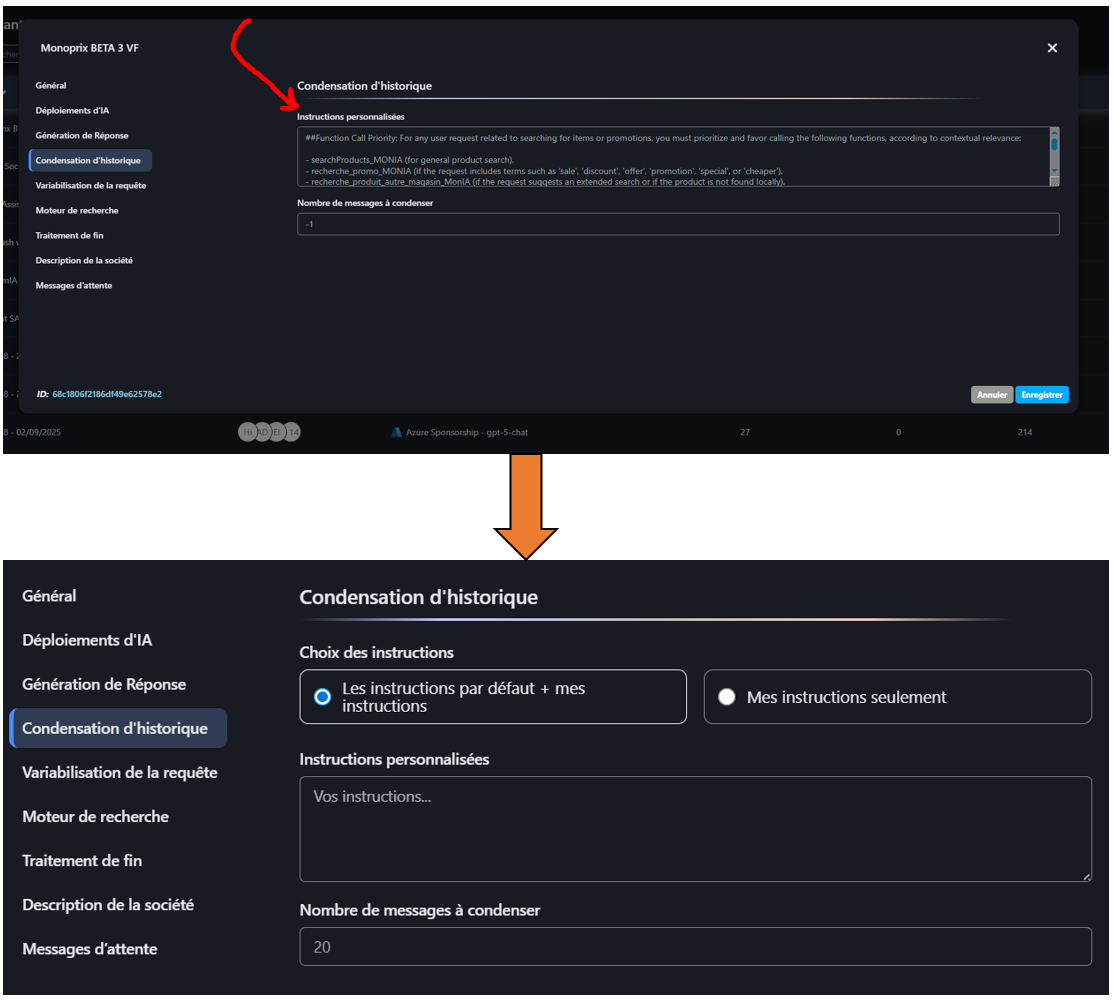
The Query Condensation and Query Expansion sections in the AI Assistant settings have been updated. Users can now choose to either combine the system's default instructions with their own (Default instructions + My instructions) or completely override them (My instructions only).
Custom Icons & Redesigned UI for Tools
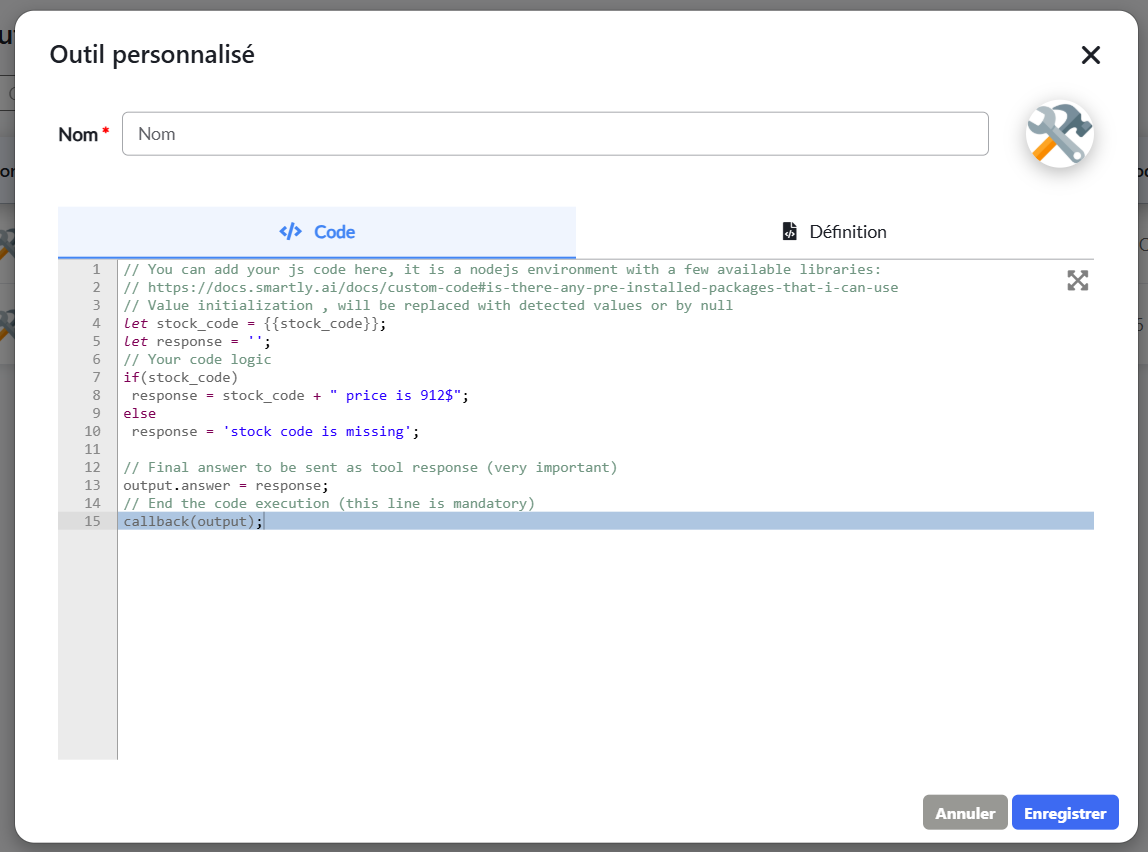
The configuration modal for Custom Tools has been redesigned for a better user experience, now using a tabbed interface for 'Code' and 'Definition' to match the platform's design.
A new feature has been added, allowing users to upload a custom icon for each tool.
Advanced Streaming Control for Dialog API
- A new feature is now available for the streaming Dialog API. You can now add a mode field to the dialog body (synchronous or asynchronous), provided that streaming is enabled (streaming = true).
- By default, synchronous mode sends the intermediate chunks via streaming to your webhook, followed by the final_result at the end.
- Asynchronous mode allows you to receive only an initial acknowledgment, followed directly by the final_result once it is ready, without any intermediate messages.
- This new field provides greater flexibility in how you handle dialog exchanges.
🎨 UI/UX Enhancements & Bug Fixes
-
Improved: Consistent Colors in Analytics Charts
Category and sub-category colors in Analytics charts (e.g., pie charts) are now consistent. Instead of using random colors, a predefined palette is used, ensuring that a specific category always retains the same color. This greatly improves the ability to compare data across different time periods. -
Fixed: Console Error in Category Analytics
Resolved a configuration issue with the charting library in the Categories analytics view that was causing console errors to appear. -
General UI fixes and performance improvements.
Version 3.30.3
Released on December 15th, 2025
✨ Major Improvements
1. Introducing Voice Assistants: The platform now officially supports the creation of sophisticated voice-enabled AI assistants. This end-to-end solution includes:
New Voice Assistant Logic: A new workflow in the Assistant creation process allows you to build assistants specifically designed for voice interactions.
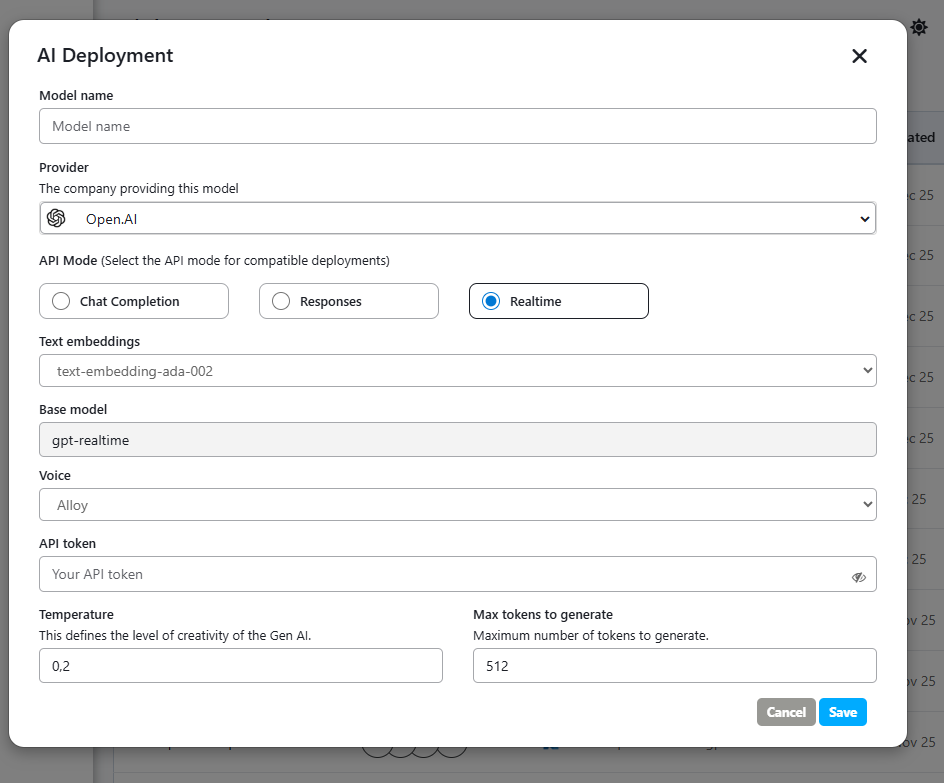
New AI Deployment for Voice: Configure dedicated AI Deployments for voice, including a new Realtime option.
Real-time Voice Processing & Voices: Activating the "Realtime" option enables advanced voice processing features. A selection of specific voices is now available for the following providers:
- For OpenAI & Azure: Includes alloy, echo, shimmer, marin, and cedar.
- For Google Vertex AI: Includes Achernar, Achird, Algenib, Algieba, Alnilam, Aoede, Autonoe, Callirrhoe, Charon, Despina, Enceladus, Erinome, Fenrir, Gacrux, Iapetus, Kore, Laomedeia, Leda, Orus, Pulcherrima, Puck, Rasalgethi, Sadachbia, Sadaltager, Schedar, Sulafat, Umbriel, Vindemiatrix, Zephyr, and Zubenelgenubi.
2. Security & Performance: Antivirus Scanning for File Uploads
To enhance platform security, an antivirus scanner has been implemented. All files uploaded are now automatically scanned for malware and corrupt files.
The scanning process has been highly optimized using ClamAV's socket mode, reducing the average scan time from ~18 seconds down to approximately 1 second per file.
✨ New Features
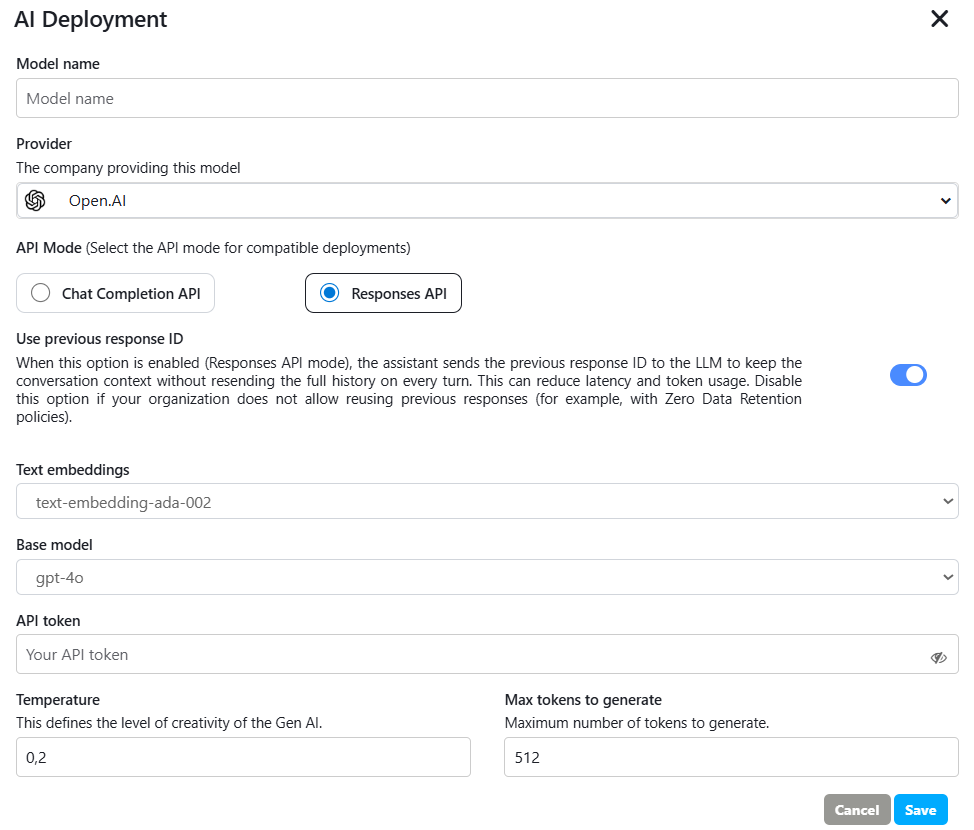
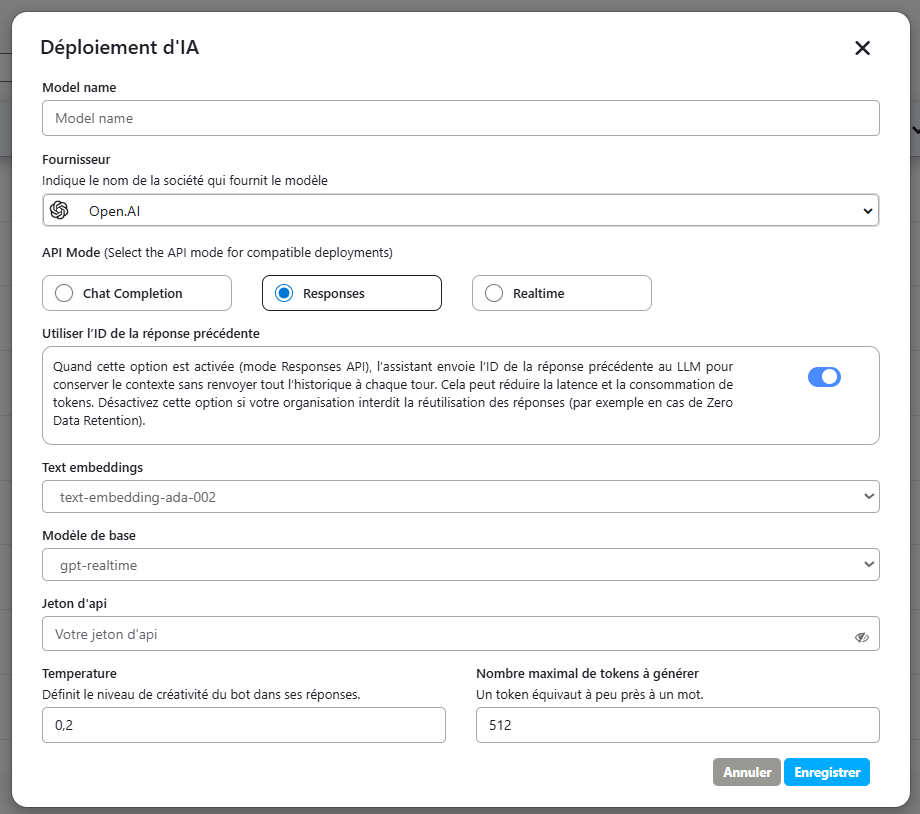
New 'Use previous response ID' Setting for OpenAI Deployments
A new "Use previous response ID" toggle has been added to the AI Deployment settings. This option is available specifically when using the Responses API mode.
🎨 UI/UX Enhancements
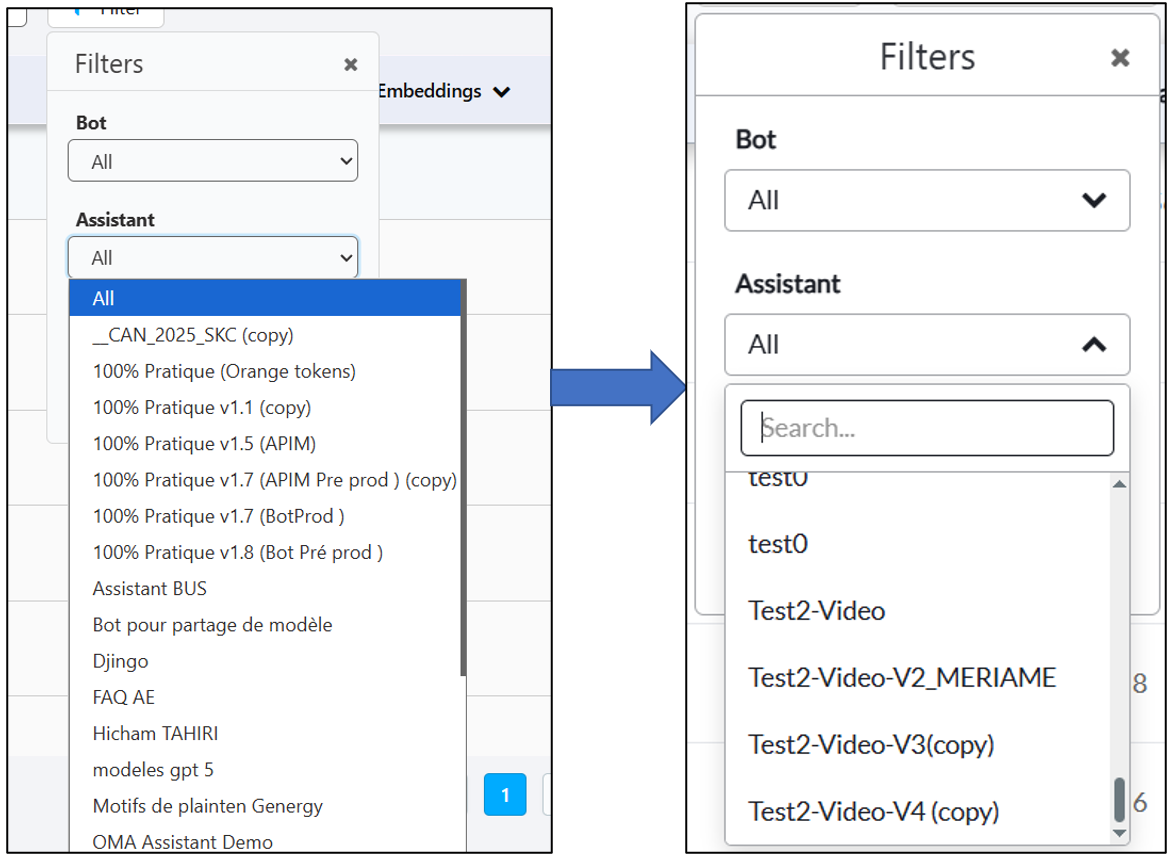
Searchable Dropdown Filters : Dropdown filters across the entire platform (Analytics, My Bots, etc.) have been upgraded to include a search input field. This makes it much faster and easier to find specific items in long lists.
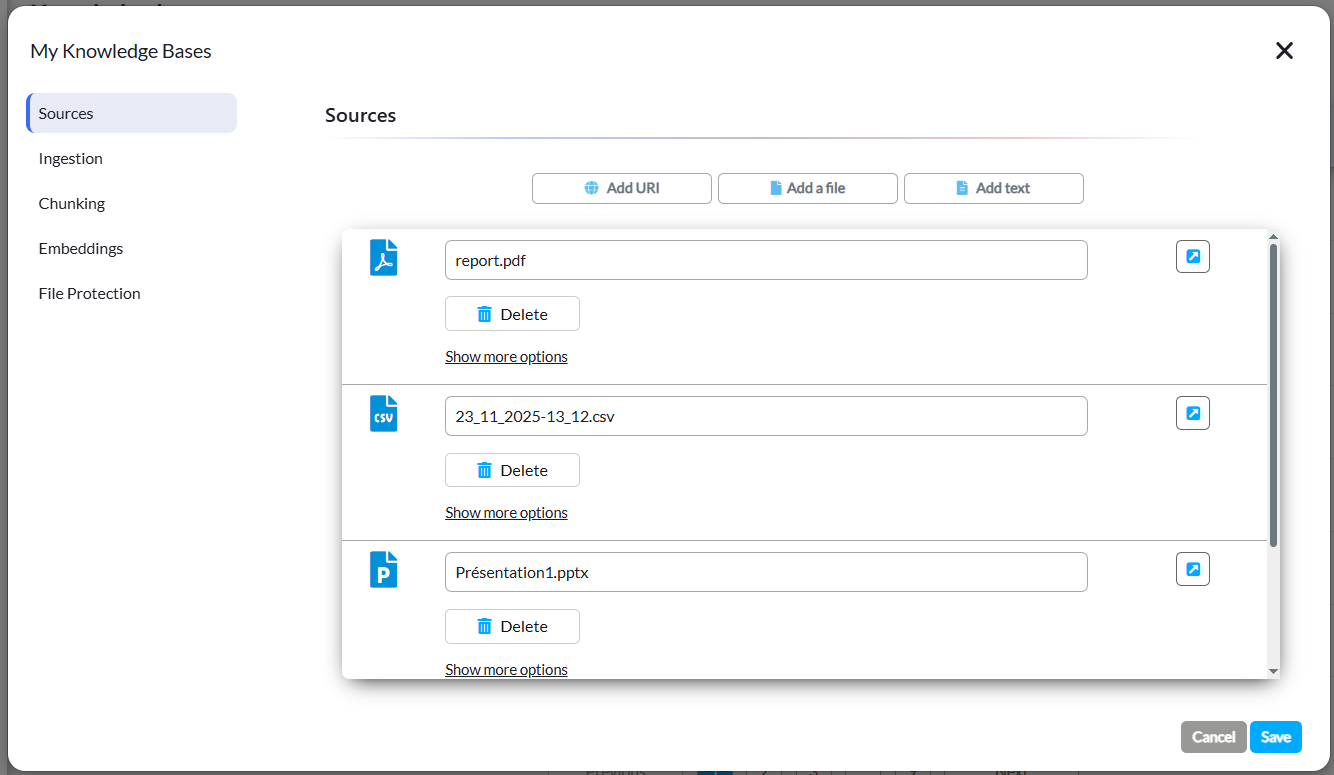
Improved: Icon Consistency in Knowledge Bases : The file type icons within the Sources tab of the Knowledge Base settings have been updated. They now match the modern icon set used in the Ingestion and Chunking sections.
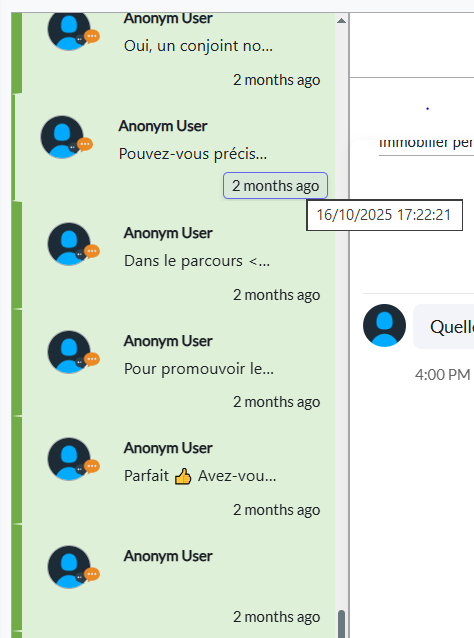
Improved: Timestamps in Conversations : In the Conversations list, the relative time display (e.g., '3 months ago') now shows the exact date and time in a tooltip upon hovering.
Version 3.30.2
Released on December 1st, 2025
✨ Major Improvements
- Revamped Translation Logic for Multilingual Bots
The platform's translation handling has been re-architected for improved accuracy and control. The new logic first generates the bot's response in its native language for maximum accuracy and then translates it to the user's language, using conversation history for context.
- New: Advanced Control Over Translation Language
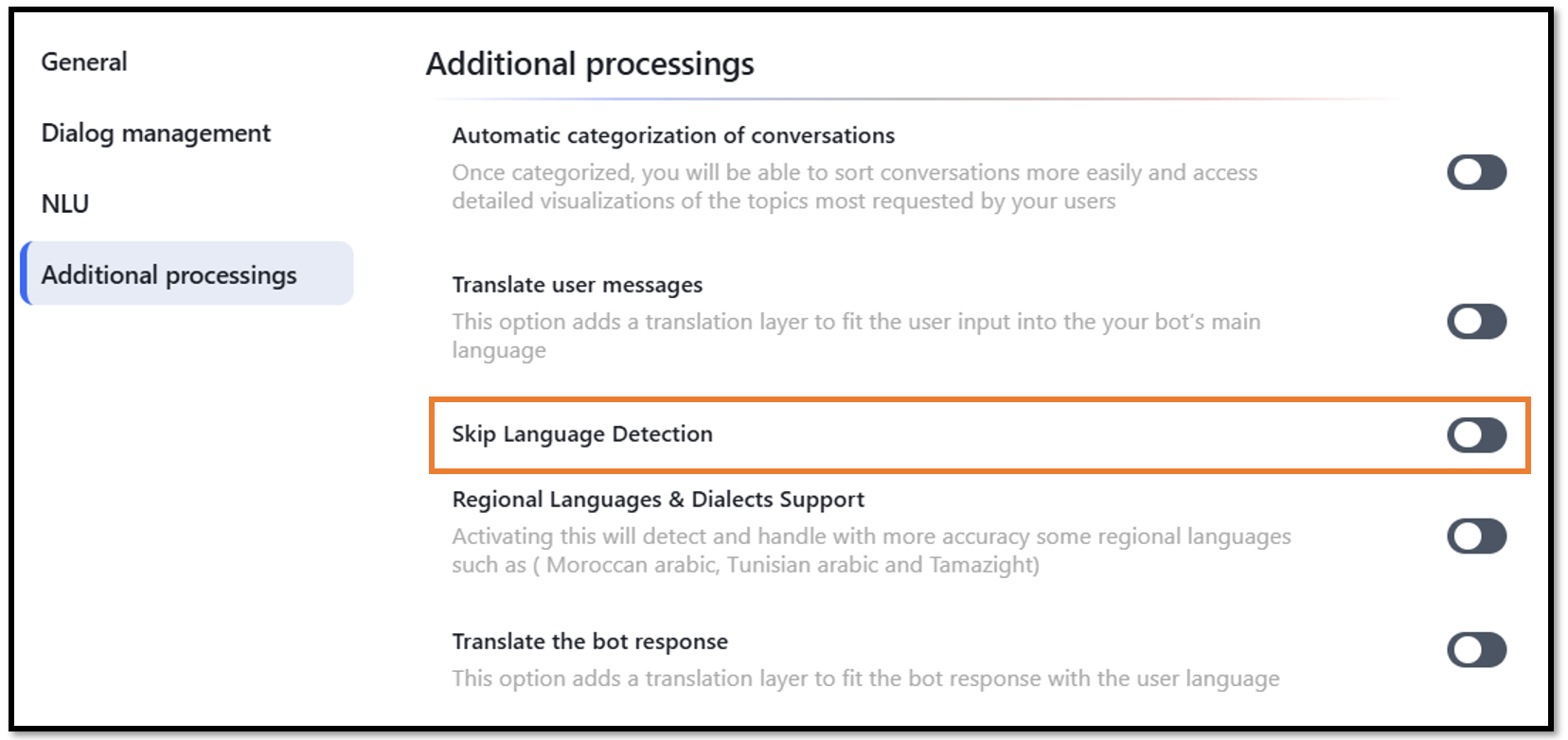
A new "Skip Language Detection" toggle has been added to the "Additional processings" section of the bot settings.
When activated, this option disables automatic language detection. It allows developers to explicitly define a single, consistent language for all translated bot responses, regardless of the user's input language.
The target language can be set in two ways:
- Via API Request: By including the "preferred_translation_language": "en-us" field in the request body.
- Via Node.js: By setting the user_data.preferred_translation_language = "en-us" variable within the bot's logic.
- New: Shared Memory Access in AI Tools (Function Calling)
AI Tools can now directly access the bot's core memory objects, creating a powerful bridge between the bot's conversational state (managed in Node.js or the Builder) and its external capabilities.
This allows for the creation of dynamic, context-aware tools that can use information stored during the conversation. For example, a user ID or product price can be saved to shared_memory, and a Tool can then retrieve that exact value to perform a specific API call.
The following objects are now accessible within Tools:
conversation.short_term_memory
conversation.long_term_memory
conversation.shared_memory
user_data, input, and output objects.
- Optimized: Analytics Filtering Performance
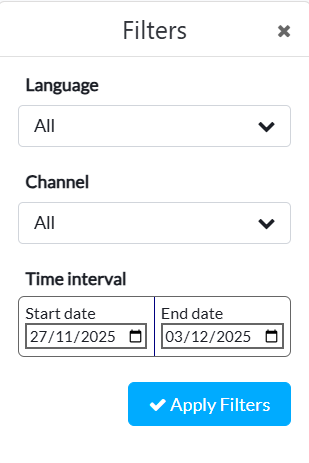
The filtering behavior in Analytics has been re-engineered to significantly improve performance and reduce server load. Previously, a new backend request was sent for every individual filter change.
Now, changes are only applied when the user clicks the new "Apply Filters" button. This bundles all selected criteria into a single, efficient request, preventing unnecessary calls and ensuring a much faster, more stable experience.
UI/UX Enhancements & Bug Fixes
- Display Improvements in Conversations
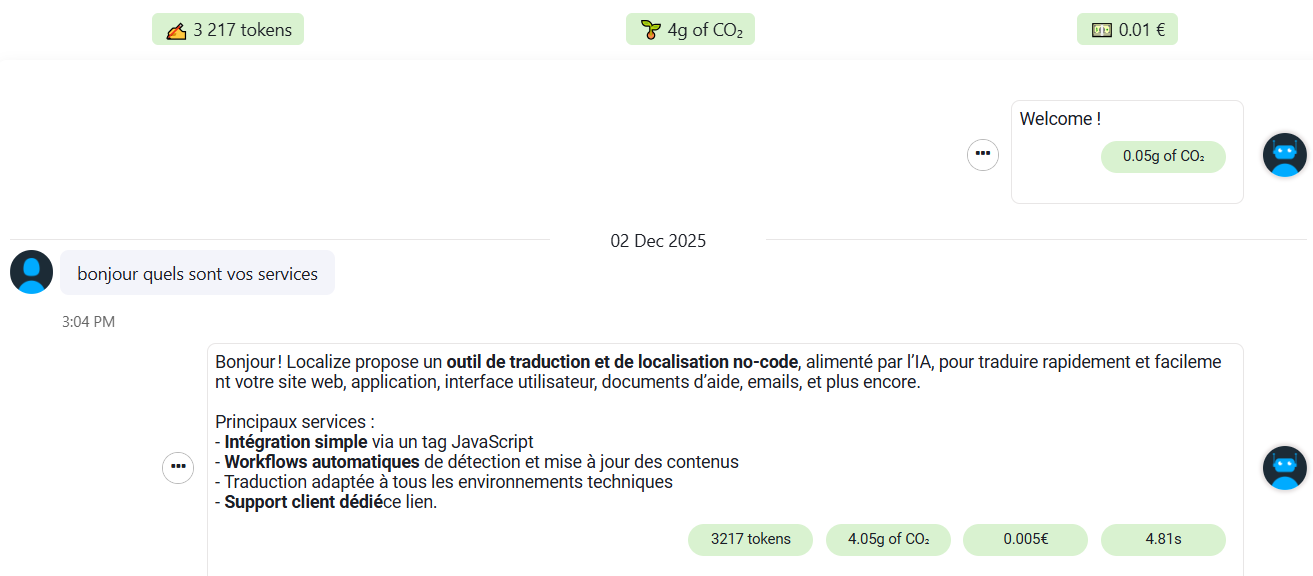
Fixed a display issue in the Conversations module. The total token count, CO2 footprint, and cost for each interaction are now clearly visible at the top of the conversation thread, as well as on each individual message for detailed analysis.
- Fixed: Model Settings Panel Display
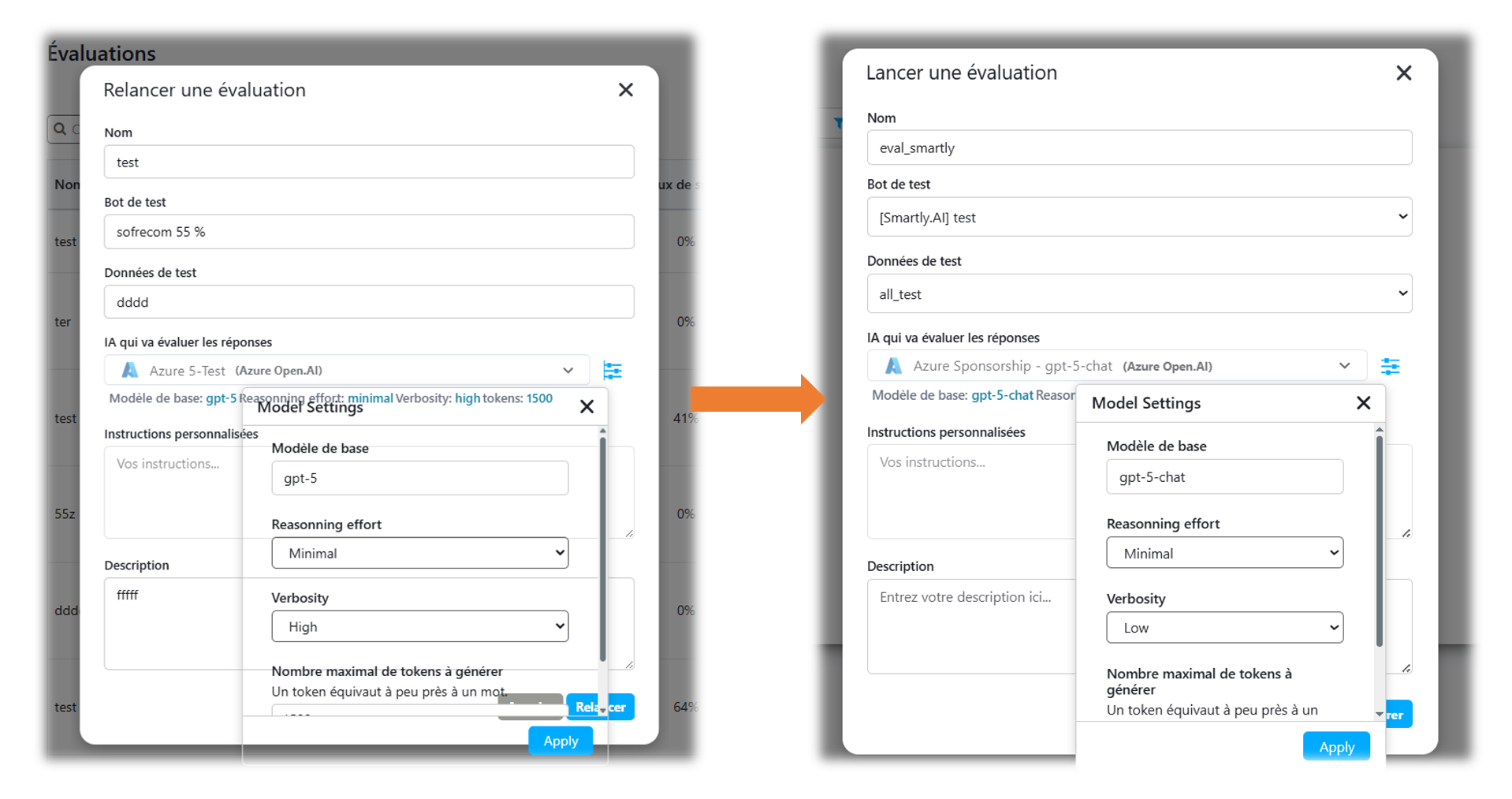
Corrected a major display bug affecting the "Model Settings" panel in both the Automations and Evaluations modules. The panel's background was previously transparent, causing the underlying form to show through and making the settings difficult to read and use. The panel now renders correctly with an opaque background.
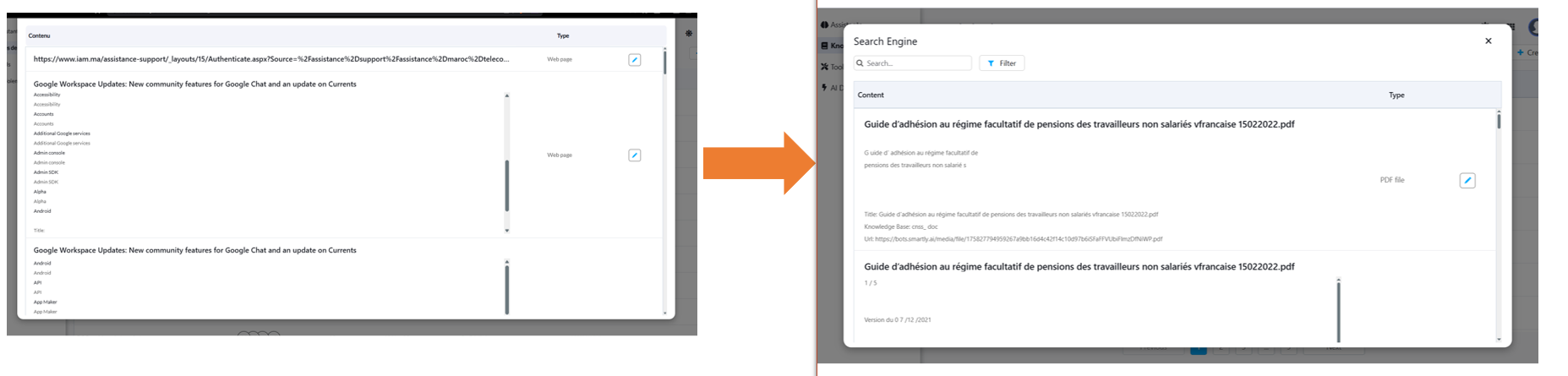
- Fixed: Search Engine Header in Knowledge Bases
Resolved a rendering bug where the header in the Search Engine view, including the search bar and filter button, was not being displayed on smaller screens. The interface now appears correctly on all screen sizes, allowing users to search and filter their indexed content.
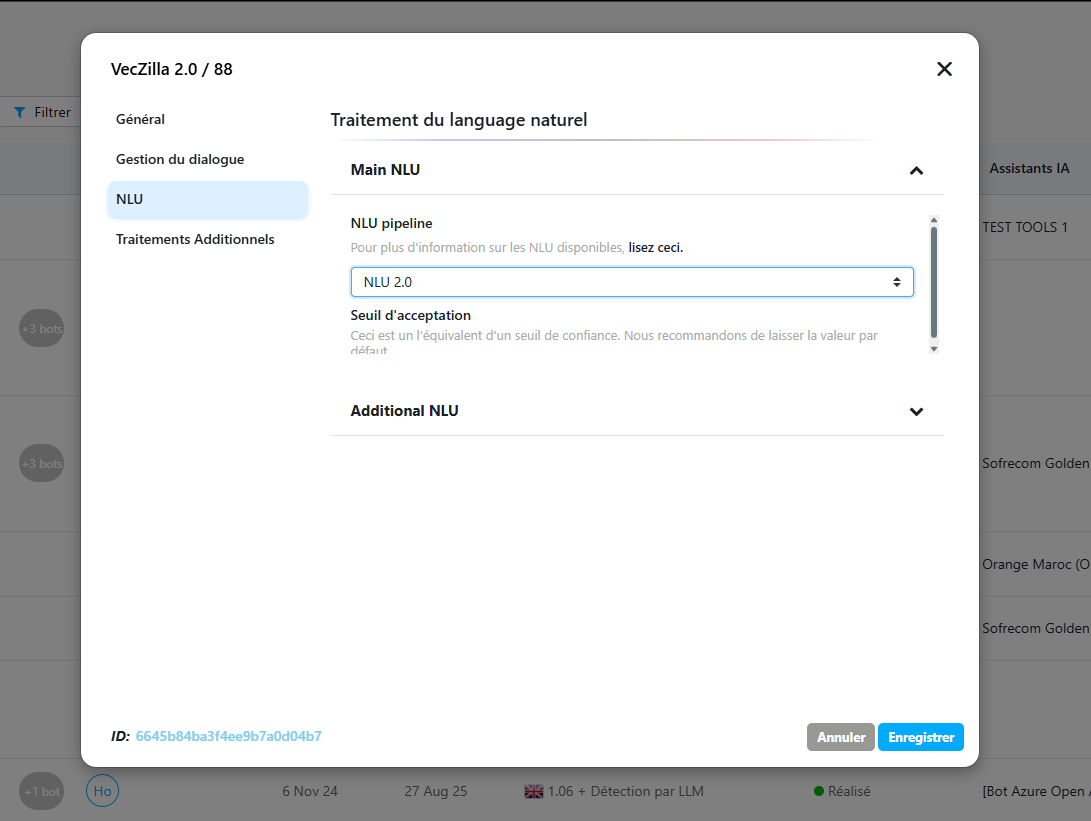
- Fixed: NLU 2.0 Acceptance Threshold Input
Corrected an issue in the bot settings where the input field for the 'Acceptance Threshold' would not appear when the NLU 2.0 pipeline was selected. The field now displays correctly, allowing users to configure the confidence level for NLU 2.0.
- Fixed: Empty URI Fields in Knowledge Bases
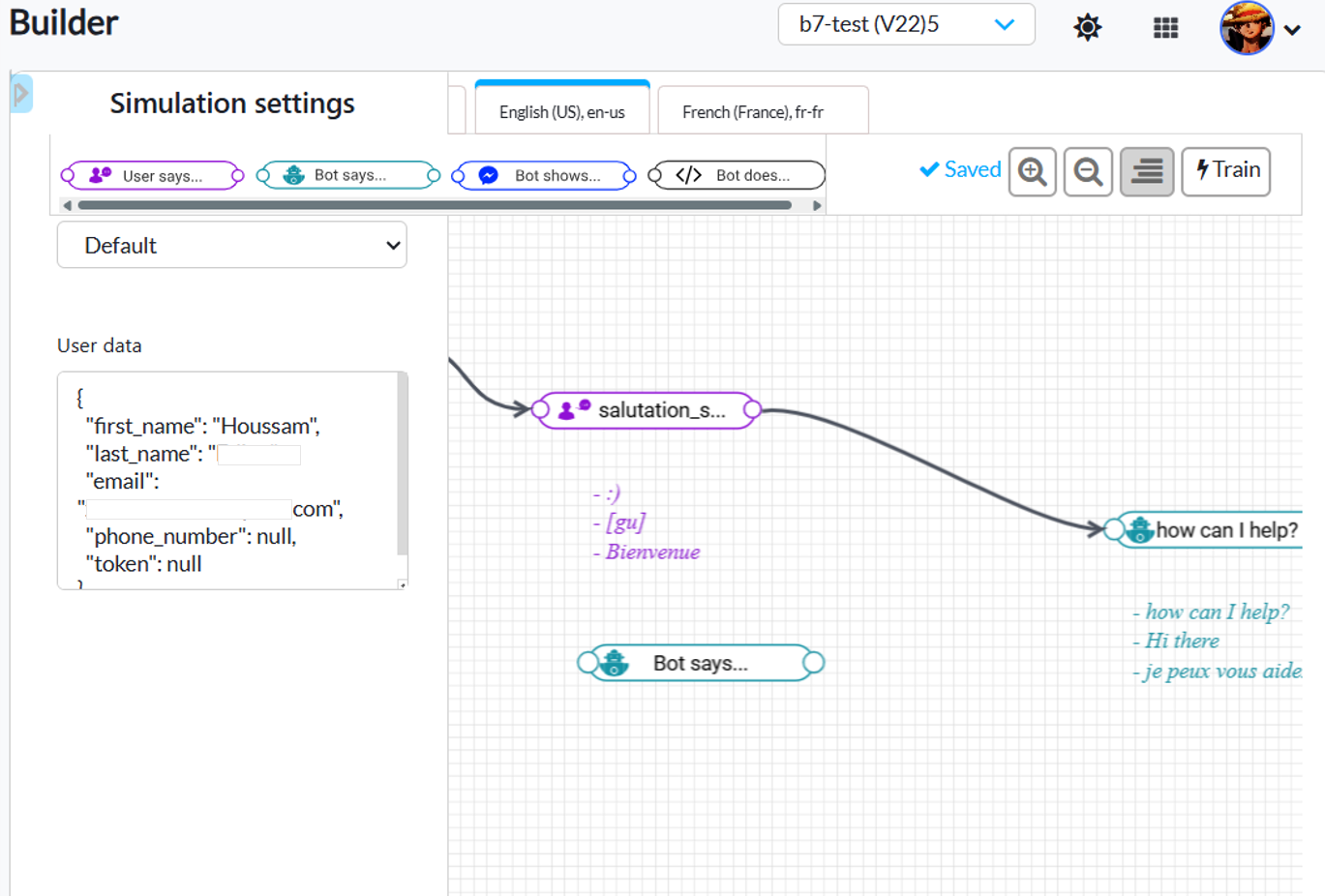
Corrected an issue where empty URI source fields would persist in the list if they were added but left blank. The system now automatically removes these empty fields, keeping the data source list clean. - Fixed: Builder's Collapsible Test Panel
Resolved a UI bug in the Builder where the left-side test panel could not be collapsed, permanently taking up screen space. The panel now correctly hides and shows, allowing users to maximize the canvas area for designing and viewing complex conversation flows.
-
Fixed: Timeouts During Large Knowledge Base Indexing
Resolved an issue where the indexing process for very large knowledge bases could fail due to connection timeouts. A keep-alive mechanism has been implemented to ensure the connection remains active, improving the reliability of long-running training jobs. -
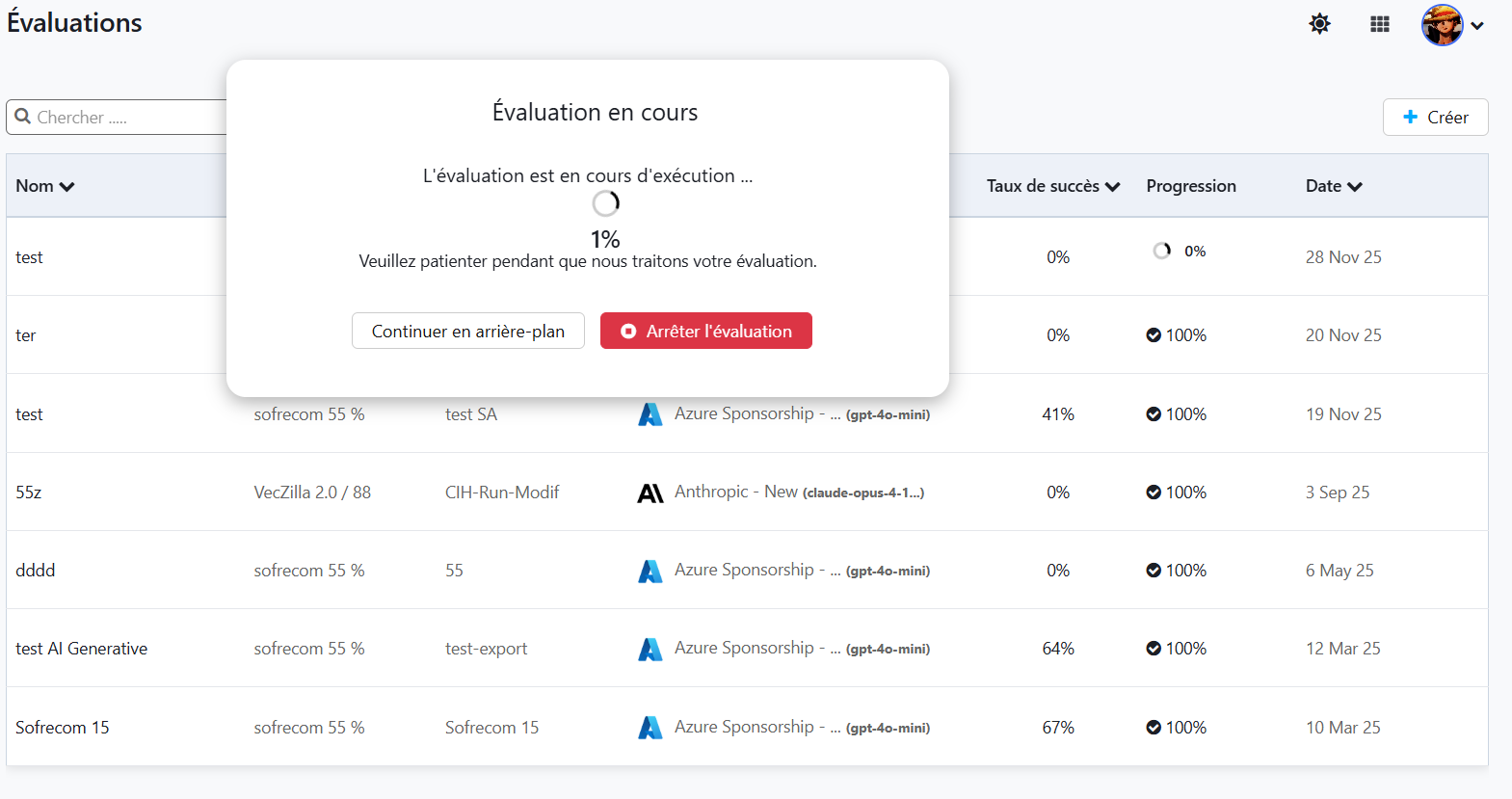
Background and Cancellable Evaluations
The evaluation progress modal has been updated to be non-blocking. It now offers two actions:- Continue in Background: Allows users to close the modal and continue working elsewhere on the platform while the evaluation completes.
- Stop Evaluation: Allows for the immediate cancellation of a running evaluation.
-
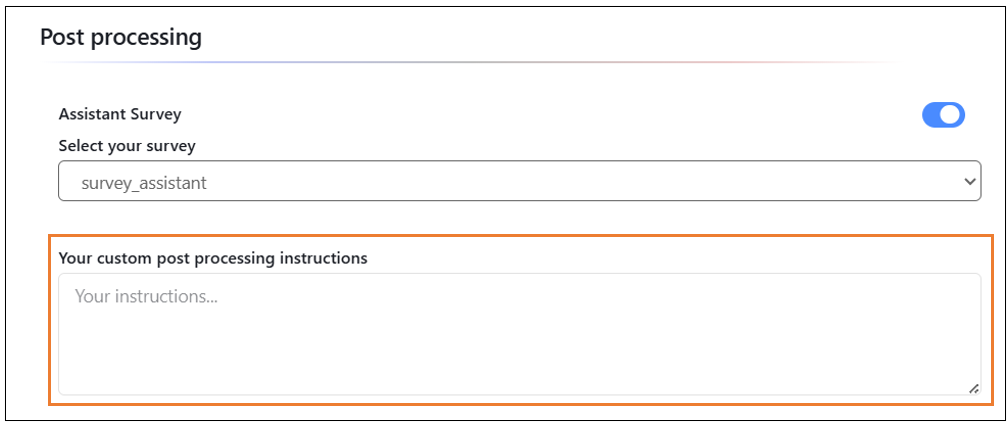
Custom Post Processing Instructions
A new "Your custom post processing instructions" field has been added to the Post processing section of the AI Assistant settings.
- New 'Use previous response ID' Setting for OpenAI Deployments
A new "Use previous response ID" toggle has been added to the AI Deployment settings. This option is available specifically when using the Responses API mode